in-html — Ease Your Tired Mind with a Visual Explainer Called HTML
/in-html is live in ninyawee/skills — install with npx skills ninyawee/skills/in-html What in-html actually is
It’s a Claude Code skill. One job: stop the agent from dumping markdown into chat when it could have handed you a page.
Markdown in chat
- Linear. You read top to bottom.
- Same gray on same gray. No shape.
- Diagrams degrade to ASCII art.
- Decisions buried in paragraphs.
- Eye fatigue compounds across the day.
HTML artifact in your browser
- Glanceable. Eye picks the section.
- Color, shape, position do work.
- Real mermaid diagrams.
- Decision tables with one row highlighted.
- Code with
file:linecaptions, not retyped.
.html file in /tmp/in-html/. Pico CSS, opened in your browser.Two modes — pick by direction of data flow
.html file. Both open in your real browser.Mode 1 — a real viz artifact
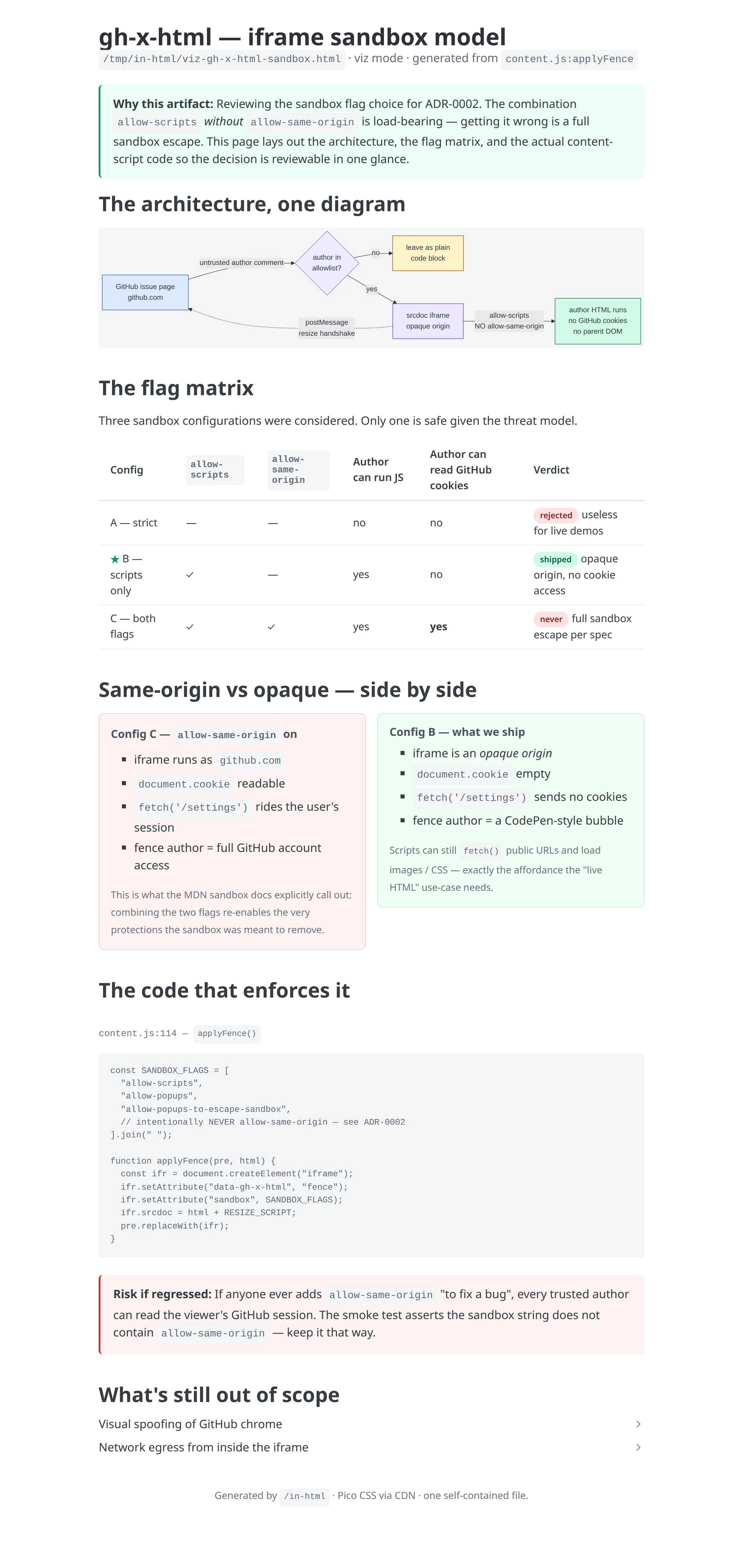
Here’s an actual artifact the agent produced when I asked it to walk me through gh-x-html’s sandbox decision before I reviewed the ADR. One file. Mermaid flowchart up top, decision table in the middle, real code excerpt at the bottom, a “risk if regressed” callout pinned next to it.
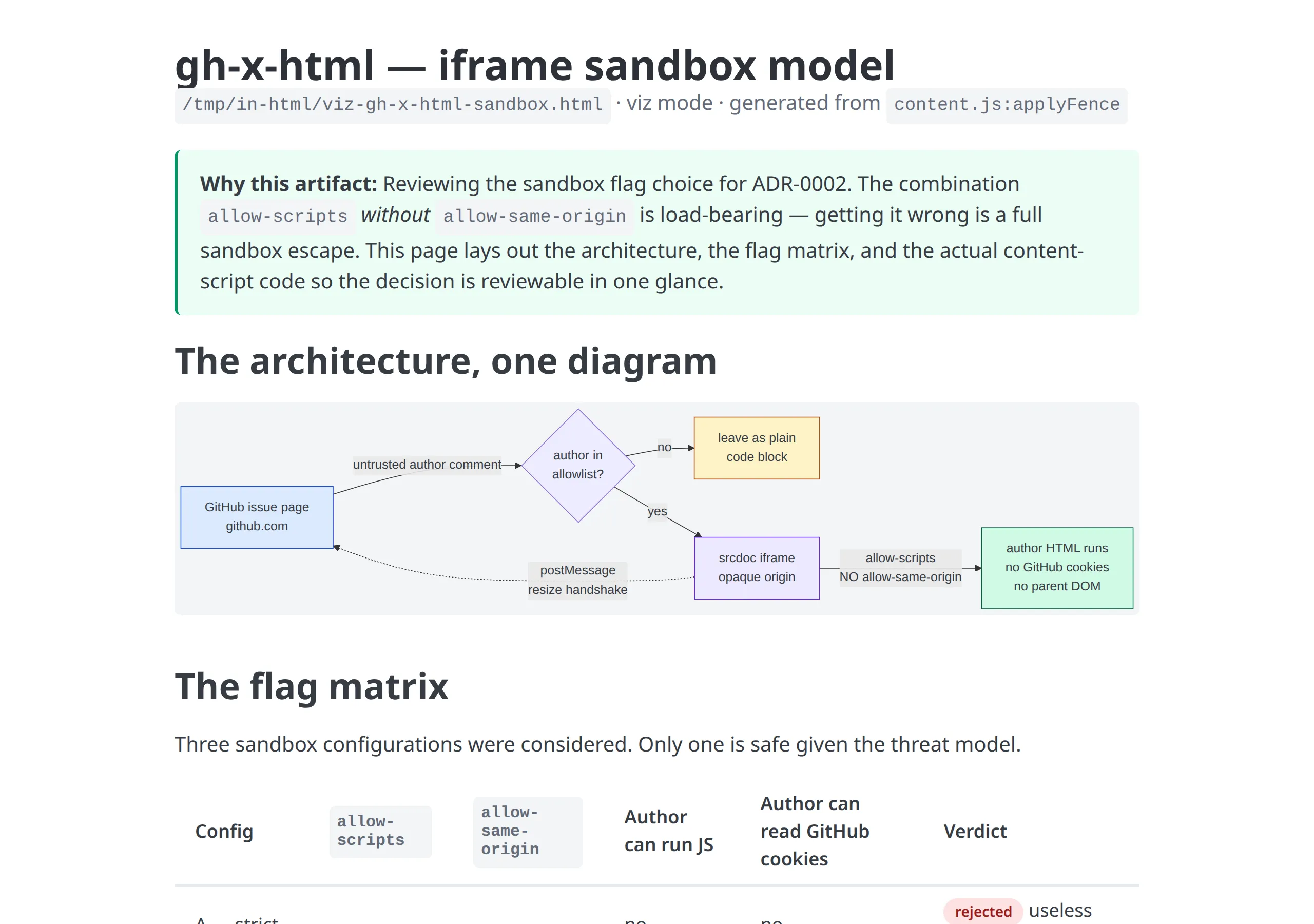
See the full artifact (the same thing as a five-screen markdown ADR would have been — but two scrolls)
Mode 2 — a real feedback panel
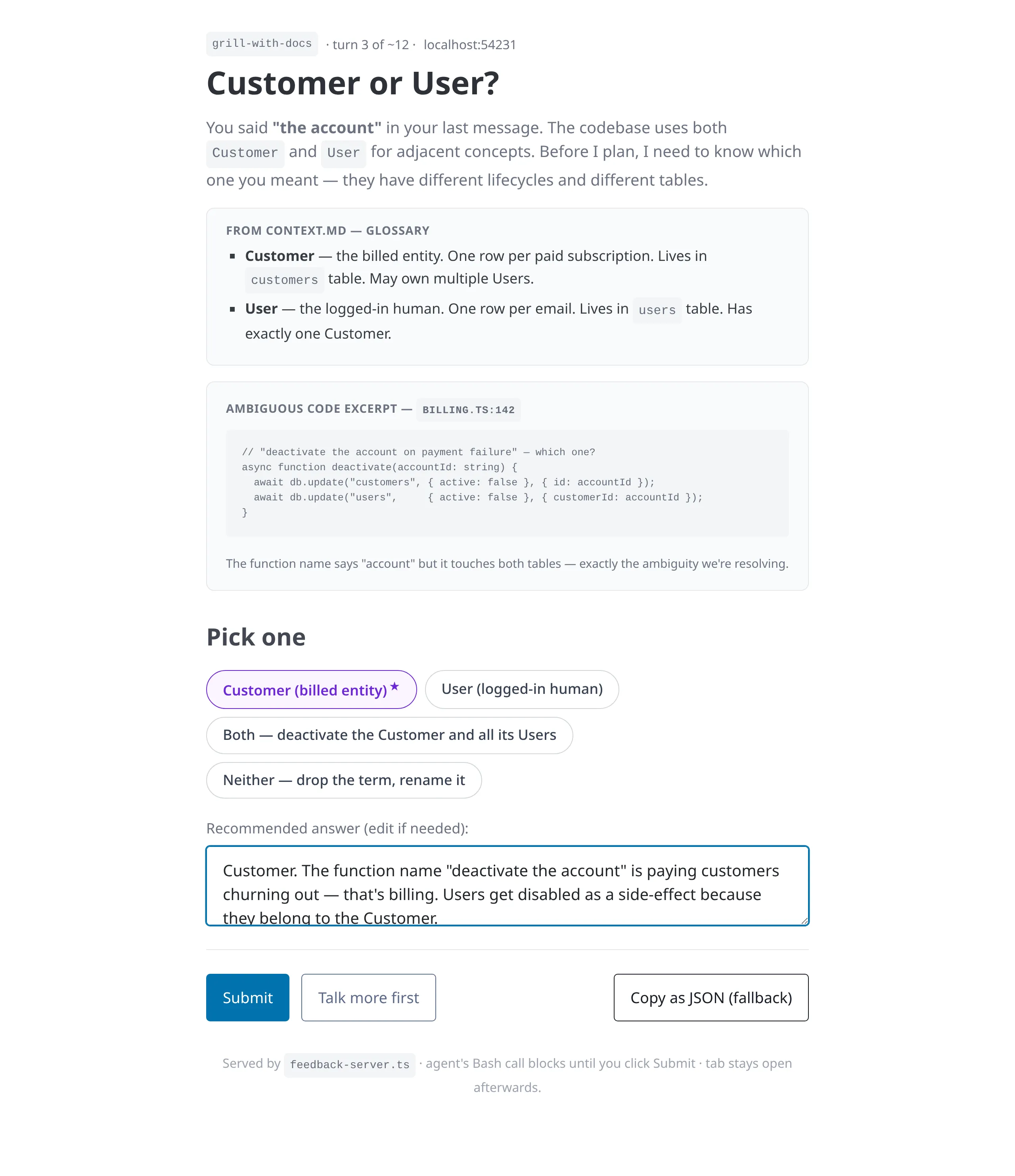
The other half. The agent needs structured data back from me in the same turn. It writes the HTML, runs a tiny bun server in the foreground, the browser opens, I click a chip or fill a form, I hit Submit, the server prints my answer as JSON to stdout, the Bash call returns, the agent keeps going — all in one turn.
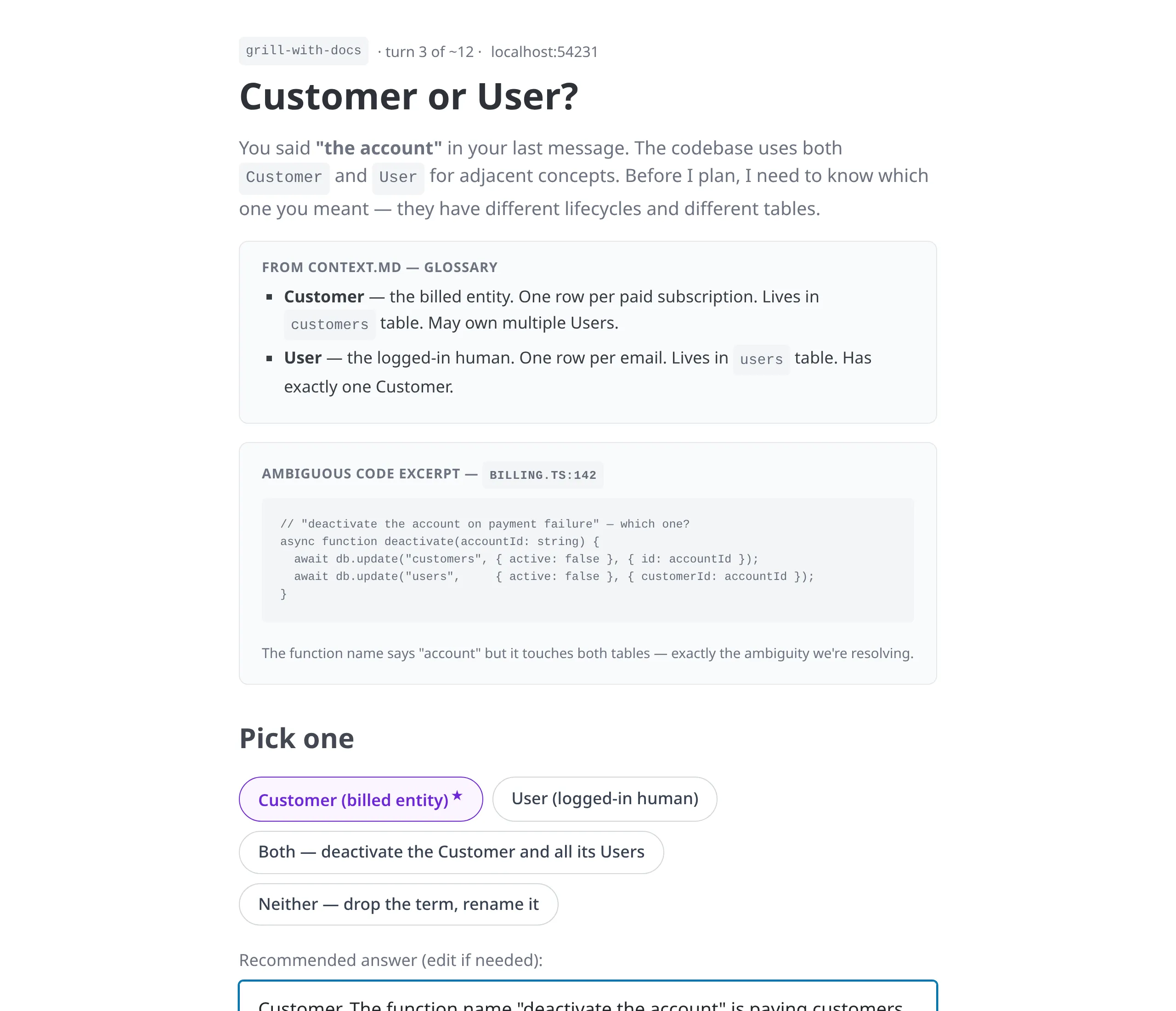
See the full panel (with talk-more drawer and action row)
Mode 2 was built for grill-with-docs
in-html specifically to feed grill-with-docs — the skill that stress-tests my plan against the project's existing terms and decisions one branch at a time. Plain-chat grilling broke down in two places, and Mode 2 fixes both.1. I need a clear idea of the frontend outcome
When the agent is asking "should the empty state be a chip picker, a search box, or a single CTA?", typing words at it is a slow guess. Mode 2 lets the agent render the candidate — a real chip row, a real search input, a real button — right in the question panel. I tap the one that looks right. The frontend decision is made by looking, not by describing.
Tangible UI > written intent. The decision settles in one fixation instead of three rounds of "no, more like…".2. Explaining a complex topic to me, fast
When the branch we're grilling is non-trivial — a routing taxonomy, a billing-vs-auth boundary, a cache-invalidation rule — the agent needs to lay out context before asking the question. Mode 2 gives it the canvas: the glossary entry, the ambiguous code excerpt, the side-by-side, the decision matrix — all on the same page as the question. Reading and answering happen in one pass.
The question and the context it needs share one fixation, not five paragraphs of scrolled prose.The “Customer or User?” panel above is exactly this pattern — a real grill-with-docs turn that the agent rendered as an HTML page instead of typing into chat.
When markdown still fits, and when HTML wins
| Surface | Best with | Why |
|---|---|---|
| Inline answer in chat | .md | One paragraph. No diagram needed. Don't open a browser tab for two sentences. |
| Diff, log, command output | .md | Already line-shaped. No structure to extract. |
| Plan / design walkthrough | .html (Mode 1) | Mermaid + decision table + code excerpts read in seconds, not minutes. |
| Disambiguation / glossary pick | .html (Mode 2) | Chips with a recommended answer beat typing the answer in chat. |
| Status board / decision log / ADR | .html (Mode 1) | Pill columns and side-by-side panels are the whole point. |
| Shaping a config / taxonomy / priority list | .html (Mode 2) | Drag-and-drop + sliders + chips fit the shape of the data. |
How I use it every day
Why this matters more than it sounds
That's what a wall of markdown does at the end of a long day. You're still reading the words. You've stopped catching the implications. The bug you'd have spotted at 10am ships at 4pm. The misalignment you'd have called out becomes the decision. The point of
in-html isn't prettier docs — it's that you keep caring long enough to notice.Install + try it
One line:
npx skills ninyawee/skills/in-htmlIn any Claude Code session: /in-html. Or just describe what you want shown — the skill should pick itself up. For Mode 2 you’ll also need bun on your PATH.
If you build a Mode 2 panel for something interesting — a custom config shaper, a tag picker, a HITL annotation flow — I’d love to see what shape your JSON ended up in.
— Ben
Skill: ninyawee/skills → skills/in-html · Sibling: gh-x-html · Inspiration: Thariq Shihipar on How I AI, plannotator