I Tried 3 Virtual List Libraries for a Chat App in Svelte 5 — Here's What Actually Works
Building a chat interface sounds simple until you need virtual scrolling. Newest messages at the bottom. Scroll up to load older messages — without the viewport jumping. Auto-scroll on new messages. Jump-to-message navigation.
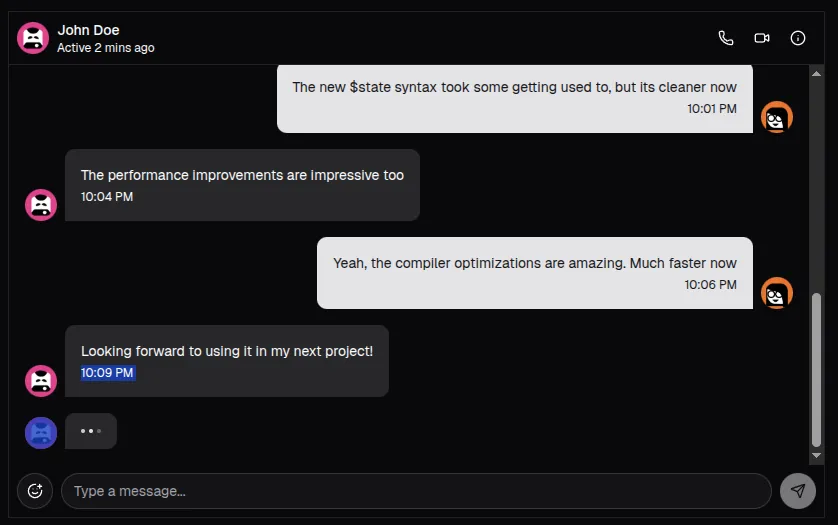
I went through three approaches before landing on one that actually works in Svelte 5. Here’s the full journey, the bugs, and the code that solved them.
The Starting Point: shadcn-svelte-extras
We started with shadcn-svelte-extras Chat component — composable Svelte 5 primitives that give you styled chat bubbles in minutes:
<ChatBubble variant="received">
  <ChatBubbleAvatar>
    <Avatar><AvatarFallback>U</AvatarFallback></Avatar>
  </ChatBubbleAvatar>
  <ChatBubbleMessage>
    Hello!
  </ChatBubbleMessage>
</ChatBubble>
These primitives are bits-ui based, use Svelte 5 snippets, and compose cleanly with Tailwind. They handle the rendering — but not the scrolling. For that, we needed a virtual list.
Attempt 1: @humanspeak/svelte-virtual-list
This library has a bottomToTop mode that seemed perfect for chat. Ship it, right?
In practice, it caused 5 cascading bugs, each requiring reverse-engineering the library’s internals:
Bug 1: No scroll
Custom class props replace the library’s default class names, losing its scoped CSS (overflow-y: scroll, position: absolute). Fix: duplicate the library’s CSS as Tailwind classes.
Bug 2: Messages in reverse order
bottomToTop mode reverses the display slice internally. We had to result.reverse() our chronologically-sorted messages — making every index calculation backwards.
Bug 3: Initial scroll not at bottom
The library’s init uses tick → 2×RAF → setTimeout(jitter) → 3×RAF. Our scrollToBottom() fires before that chain completes. Fix: setTimeout(200).
Bug 4: No scroll position tracking
No onscroll callback. We resorted to querying the DOM:
// This is what desperation looks like
$effect(() => {
  void virtualList; // re-run when ref changes
  const el = document.querySelector('[data-testid="...viewport"]');
  el?.addEventListener('scroll', onScroll, { passive: true });
});
Bug 5: loadMore fires during init
The init phase renders all items, making the IntersectionObserver sentinel visible immediately. Fix: loadMoreEnabledAt = Date.now() + 500 time guard.
Pattern: Every workaround was tightly coupled to implementation details that could change between versions. Time to try something else.
Attempt 2: Drop Virtualization Entirely?
Before reaching for another library, we asked: do we even need virtual scrolling?
Our pages load 50 messages at a time. The DOM holds 50–150 elements max. That’s well within native performance. The plan:
overflow-y: autocontainer withoverflow-anchor: autofor browser-native scroll anchoringScrollStatefrom runed for reactive scroll trackingscrollIntoView()for jump-to-messageawait tick(); scrollToBottom()for initial load
This would have worked — but we had rooms with thousands of messages from historical data imports. We’d need virtualization eventually, and adding it later means another rewrite. Better to find the right library now.
The key insight: the problem was the library, not virtualization itself.
Attempt 3: virtua — The One That Works
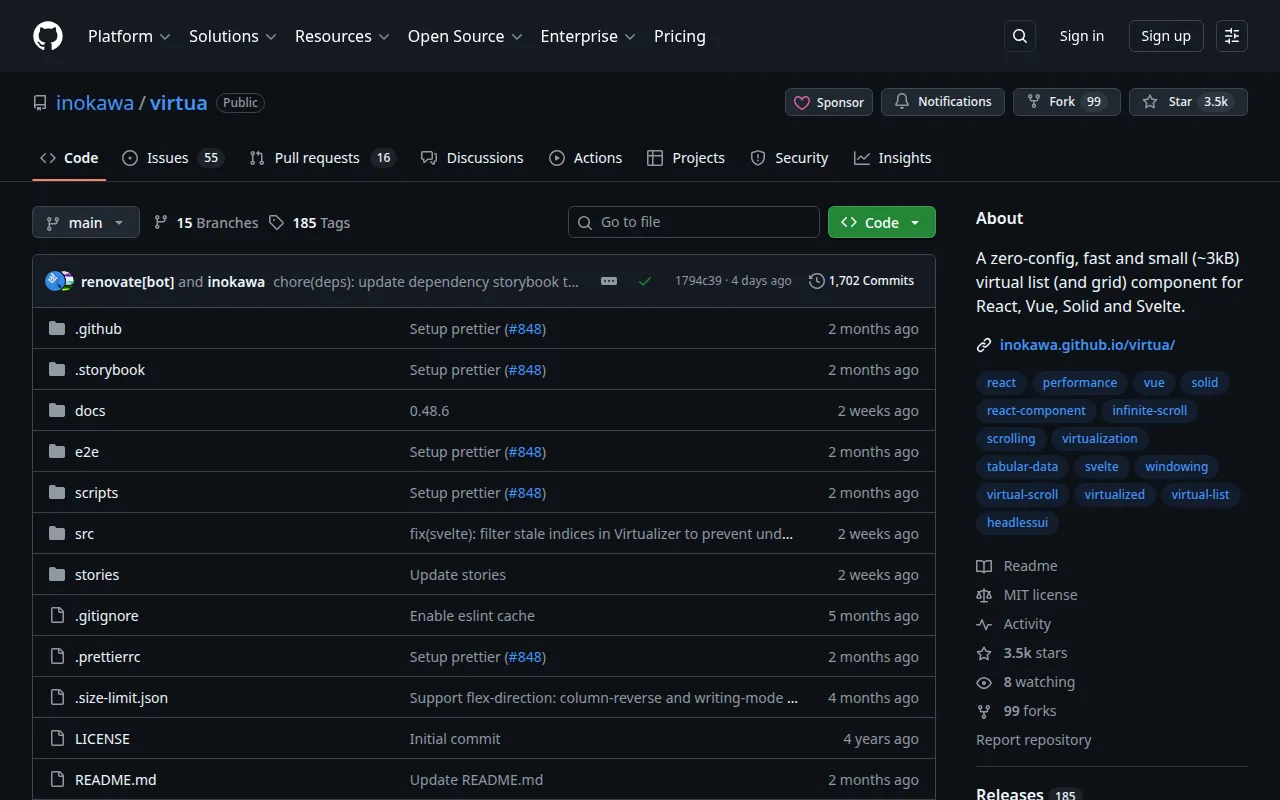
virtua (v0.48.6, ~3kB) has native Svelte 5 support. Its components use $props(), $state(), $derived(), $effect() directly. No wrapper, no adapter.
<VList
  bind:this={vlist}
  data={virtualItems}
  shift={shifting}
  getKey={getVirtualItemKey}
  onscroll={handleScroll}
  style="height: 100%;"
>
  {#snippet children(item, index)}
    <div class="pb-1">
      <!-- render your chat message -->
    </div>
  {/snippet}
</VList>
What makes it work for chat:
| Feature | Why it matters |
|---|---|
shift prop | Scroll anchoring during prepend — the killer feature |
onscroll(offset) | Track scroll position natively, no DOM hacks |
scrollToIndex(i, { align }) | Jump to any message with start\|center\|end\|nearest |
getKey | Stable keys across prepends for correct reconciliation |
| Dynamic heights | Built-in ResizeObserver per item — no fixed height needed |
But it still had one critical trap.
The shift Timing Trap
This is the single most important thing to get right with virtua in Svelte 5.
virtua reads the shift prop inside $effect.pre when data length changes:
// Inside virtua's Virtualizer.svelte
$effect.pre(() => {
  if (data.length !== store.$getItemsLength()) {
    store.$update(ACTION_ITEMS_LENGTH_CHANGE, [data.length, shift]);
  }
});
Our first attempt: shift={store.isLoadingMore}. This did not work. Here’s why:
async loadMore() {
  this.isLoadingMore = true;
  const data = await fetch(...);
  this.messages = [...data.messages, ...this.messages]; // prepend
  this.isLoadingMore = false;
  //  ↑ Both mutations happen in the same synchronous block after await!
}
After the await, the prepend and the flag reset execute synchronously. Svelte batches reactive updates, so by the time $effect.pre runs and reads shift, isLoadingMore is already false. No anchoring happens. The viewport jumps.
The fix: a dedicated shifting state with a one-frame delay:
let shifting = $state(false);

function handleLoadMore() {
  shifting = true;
  messageStore.loadMore().then(() => {
    // Clear after one frame — $effect.pre has already consumed shift=true
    requestAnimationFrame(() => { shifting = false; });
  });
}<VList shift={shifting} ...>This matches virtua’s own Solid.js example where shift={prepend()} is a stable boolean, not a transient loading flag. The requestAnimationFrame delay ensures $effect.pre has already consumed the shift=true value before we reset it.
Scroll Tracking: Three Signals From One Callback
virtua’s onscroll(offset) replaces our entire DOM query hack:
let isAtBottom = $state(true);
let isAtTop = $state(false);

function handleScroll(offset: number) {
  if (!vlist) return;
  const maxScroll = vlist.getScrollSize() - vlist.getViewportSize();
  isAtBottom = maxScroll - offset < 50;
  isAtTop = offset < 10;

  // Prefetch at 70% — start loading before user reaches the top
  if (roomReady && maxScroll > 0 && offset < maxScroll * 0.3) {
    handleLoadMore();
  }
}
Three signals from one callback:
isAtBottom→ auto-scroll when new messages arrive + “jump to latest” FABisAtTop→ beginning-of-conversation indicator with fade-in- 30% threshold → prefetch trigger so loading feels seamless
This replaces the IntersectionObserver sentinel pattern entirely. The guard inside handleLoadMore() prevents duplicate requests.
Other Gotchas
Duplicate keys with timezone mismatch
virtua uses keyed {#each} internally. Our date separator keys used sep-${timestamp.slice(0, 10)} — the UTC date from the ISO string. But our day-boundary check used local timezone (UTC+7).
2026-03-02T20:00:00Z is March 3 locally but slice(0, 10) gives 2026-03-02. Two separators, same key → Svelte throws each_key_duplicate.
Fix: use the message index (sep-${i}).
roomReady gate
When switching chat rooms, messages load and we scroll to bottom. During this window, scroll position is 0 (top), which triggers the 30% prefetch threshold. A roomReady flag prevents premature loadMore:
roomReady = false;
store.load(roomId).then(() => {
  requestAnimationFrame(() => {
    scrollToBottom();
    roomReady = true;
  });
});
Auto-scroll guard during prepend
A loadMore prepend increases messages.length. Without a guard, the “new message” watcher would auto-scroll to bottom mid-load:
watch(
  () => store.messages.length,
  (count, prev) => {
    if (count > (prev ?? 0) && isAtBottom
        && (prev ?? 0) > 0 && !store.isLoadingMore) {
      scrollToBottom();
    }
  }
);
Item spacing with absolute positioning
virtua positions items with position: absolute. CSS gap on the parent won’t work. Wrap each item in a <div class="pb-1"> — virtua’s ResizeObserver measures the wrapper’s full height including padding.
The VirtualItem Pattern
Interleave metadata (date separators, read receipts, load-more sentinel) with messages using a discriminated union:
type VirtualItem =
  | { kind: 'message'; message: ChatMessage }
  | { kind: 'date-separator'; label: string; key: string }
  | { kind: 'read-line'; key: string }
  | { kind: 'load-more'; key: string }
  | { kind: 'beginning'; key: string };

const virtualItems: VirtualItem[] = $derived.by(() => {
  const msgs = store.messages;
  if (msgs.length === 0) return [];

  const result: VirtualItem[] = [];

  if (store.hasMore) {
    result.push({ kind: 'load-more', key: 'load-more' });
  } else {
    result.push({ kind: 'beginning', key: 'beginning' });
  }

  for (let i = 0; i < msgs.length; i++) {
    if (i === 0 || isDifferentDay(msgs[i - 1], msgs[i])) {
      result.push({ kind: 'date-separator', label: formatDate(msgs[i]), key: `sep-${i}` });
    }
    result.push({ kind: 'message', message: msgs[i] });
  }
  return result;
});
Messages stay in natural chronological order (oldest first). No .reverse(). virtualItems[0] is the top, virtualItems[last] is the bottom. getKey returns message.uid for messages and the key field for metadata items.
Before and After
| Aspect | svelte-virtual-list | virtua |
|---|---|---|
| Data order | result.reverse() | Natural (oldest first) |
| Scroll tracking | $effect + querySelector + addEventListener | onscroll(offset) callback |
| Initial scroll | setTimeout(200) | requestAnimationFrame + scrollToIndex |
| loadMore guard | Date.now() + 500 timestamp | roomReady boolean |
| Scroll anchoring | None (viewport jumped) | shift prop + shifting state |
| loadMore trigger | IntersectionObserver sentinel | onscroll at 30% threshold |
| Bundle | ~12kB | ~3kB |
TL;DR
Start with shadcn-svelte-extras Chat for the rendering primitives — they’re solid and never needed replacing.
For virtual scrolling in Svelte 5, use virtua. It’s the only library with native Svelte 5 runes support and a working
shiftprop for chat-style prepend anchoring.@tanstack/svelte-virtualdoesn’t support Svelte 5 yet.The
shifttiming trap is real. Don’t bindshiftto a loading flag that resets in the same synchronous block as your data mutation. Use a dedicated state, clear it one frame later.Use
onscroll(offset)for everything: at-bottom detection, at-top detection, and prefetch triggering. One callback, three signals.Wrap each virtual item in a spacing
<div>— virtua uses absolute positioning, so CSSgapdoesn’t work.
Built with Svelte 5, SvelteKit 2, virtua 0.48.6, shadcn-svelte, and runed. The chat handles LINE OA message history with rooms containing thousands of messages.